making your deliveries easier to access WORKS FOR YOU

At InPost, we believe sending and receiving parcels should be simple for everyone. That’s why we work to offer a more convenient and inclusive experience for all users.

What is the Locker within your reach?

The Locker within your reach is a feature in the InPost App that lets you request, whenever possible, for your parcel to be placed in a locker at a more accessible height within the Locker.

These lockers are designed for people with reduced mobility or difficulty reaching upper lockers, making it easier to send and collect their parcels.

Illustrative image. Available lockers may vary depending on the Locker’s layout.
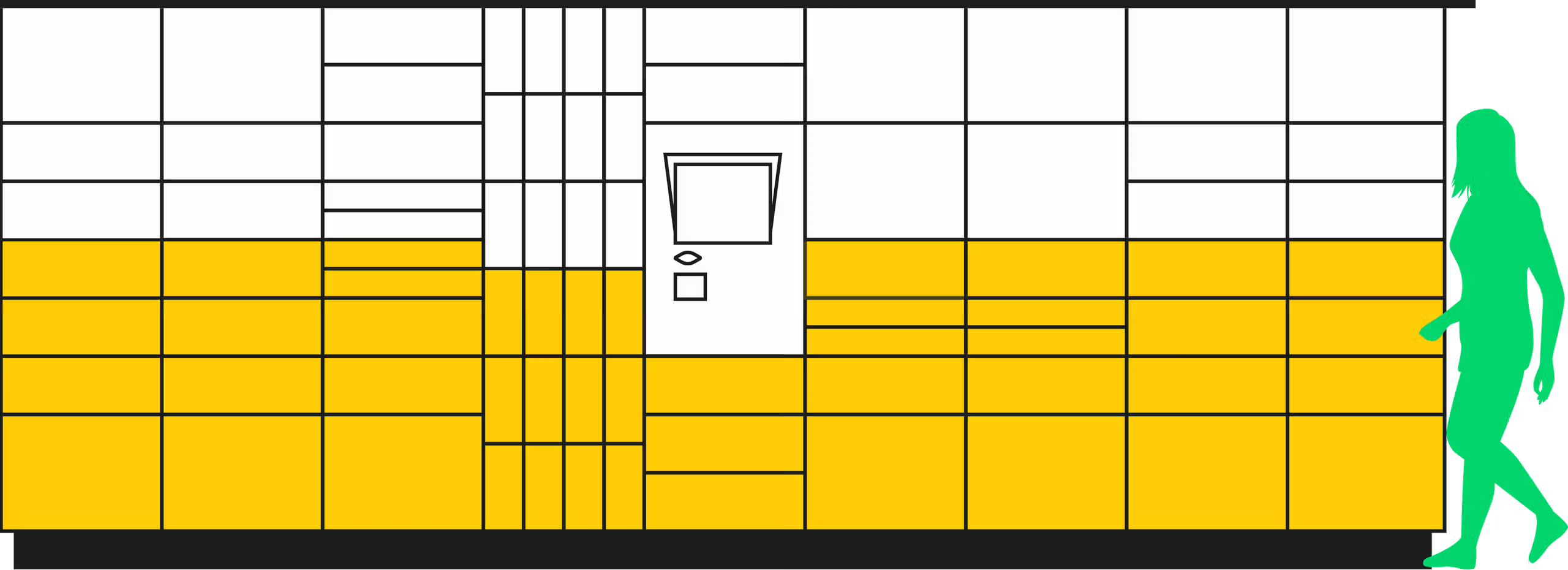
Illustration of a parcel locker with lower-level lockers highlighted. Next to the locker, there’s a silhouette of a person. The accessible locker area is shown to reach up to an adult’s chest.Illustration of a parcel locker with lower-level lockers highlighted. Next to the locker, there’s a silhouette of a person. The accessible locker area is shown to reach up to an adult’s chest.

Attention

We can’t always guarantee the availability of an easy-access locker. Large lockers are not included in this zone. If none are available at the time of delivery, your parcel will be placed in another available locker.

How to use it?

The feature is available during the shipping process in theInPost App.

Select the shipment where you want to activate the option.
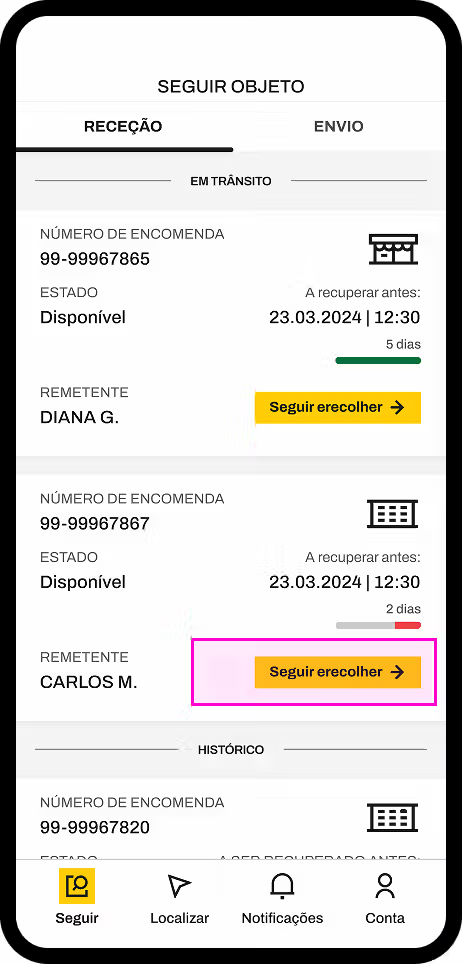
Screenshot of the InPost app showing two packages ready for collection. It includes tracking numbers, status, sender, and remaining time to collect the package. The screenshot highlights a button labeled 'track and collect'.

Where does this option appear?

You’ll see the option 'Would you like to choose an easy-access locker?' only if the parcel is in a compatible status withOrder in preparation

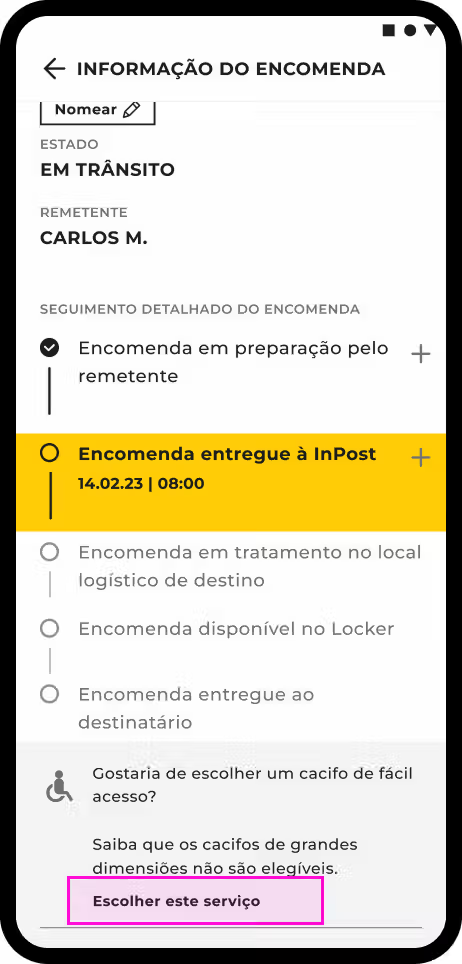
Screenshot of the InPost app showing shipment details. A list displays five steps of the parcel’s journey: 1. Preparing the order, 2. Order accepted by InPost, 3. Order at the distribution center, 4. Order at the collection point/locker, 5. Order delivered to the recipient. The current shipment status is highlighted in step two. At the bottom of the screen, there’s a question asking if the parcel needs to be placed in an easier-to-access locker for people with disabilities, along with the option to enable this feature.

How does activation work?

By clicking 'Activate', we’ll try to place your parcel in an easy-access locker.
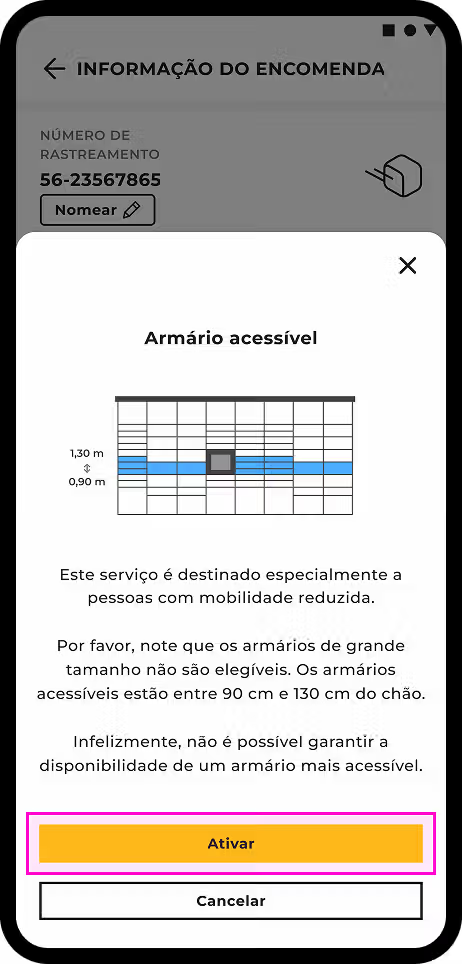
InPost app screenshot showing the 'Easy Access' feature. An illustration highlights locker compartments located between 90 cm and 130 cm from the ground for users with disabilities. The text notes that availability is not guaranteed, large lockers are excluded, and the feature can be turned on or off.
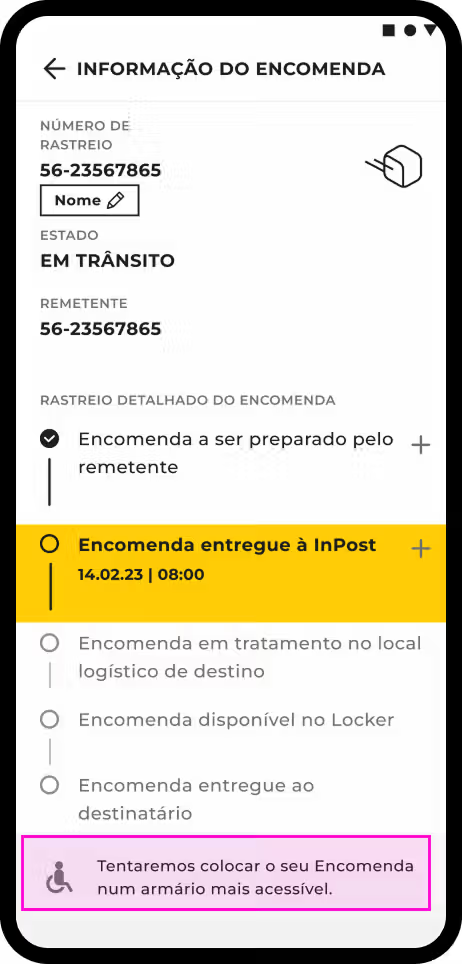
Screenshot of the InPost app showing tracking details. A 5-step progress bar highlights step 2: 'Order accepted by InPost'. At the bottom, a highlighted message mentions that the courier will try to place the parcel in an easy-access locker.

READY TO SEND? THIS IS FOR YOU

Subscribe to our newsletter and get 10% OFF your next shipment.
Subscribe now!(opens in a new tab)

INPOST MAKES SHIPPING EASY

From €5.42 to a Locker or Parcel Point